OpenSearch Client
Configure and connect to your OpenSearch cluster easily.
What is OpenSearch Client?
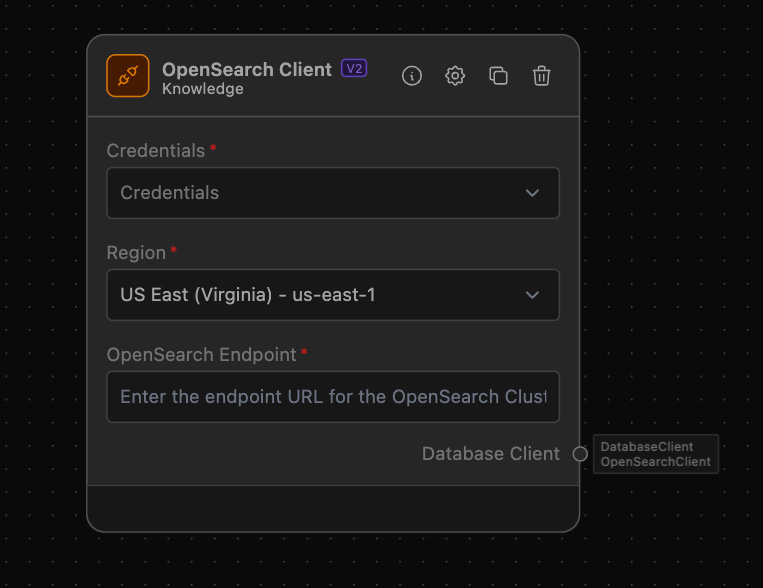
The OpenSearch Client Node allows you to configure and connect to an OpenSearch cluster using a specified endpoint URL and AWS configuration. This node simplifies the process of setting up a connection with your OpenSearch cluster, making it easier to search, index, and manage your data.
How to use it?
Follow these steps to set up and use the OpenSearch Client Node effectively:
-
Add OpenSearch Client Node:
- Drag and drop the OpenSearch Client Node from the node library into your workflow canvas.
-
Configure OpenSearch Endpoint:
- Enter the endpoint URL for your OpenSearch Cluster in the "OpenSearch Endpoint" field.
-
Select your AWS Credentials
-
Connect other nodes:
- Connect more nodes, e.g. a Vector Store with a Reader or a Writer.
Required AWS IAM Roles and Permissions
For the AWS configuration, ensure that the AWS credentials provided have the necessary permissions to access the OpenSearch cluster. Typically, these permissions include:
es:ESHttpGetes:ESHttpPostes:ESHttpPutes:ESHttpDelete
Refer to the AWS documentation for more detailed permission settings. This will enable smooth and secure communication between your OpenSearch Client Node and the OpenSearch cluster.
Example of usage
Use the OpenSearch Client to connect to an OpenSearch cluster and perform search operations.
Example Task: Configure and Search Data using a Vector Store
Objective: Configure OpenSearch Client and perform a search using a Vector Store in combination with from OpenSearch.